Rigsight

Know your rig. Your PC's temperatures, app time and crashes, recorded all day and kept as history.

Latest versionWindows 10 & 11Free, MIT licensed

Or paste this into PowerShell

irm https://b0llu.github.io/Rigsight/install.ps1 | iex
~0.01%CPU while it records
Every minutekept as history, for as long as you like
Every sensortemps, fans, clocks, power, voltages, drives
0 bytesof your data sent anywhere. No account, no telemetry.

Why Rigsight

Most monitors forget.
Rigsight remembers.

A normal hardware monitor

  • Shows numbers only while you're watching
  • Close it, and the numbers are gone
  • A wall of sensors, no context
  • "Did it overheat last night?" — no idea

Rigsight

  • Records all day, even with its window closed
  • Any day, week, month or year, minute by minute
  • Every number tied to the app that was in front
  • "GPU hit 74° at 8:14 PM in Cyberpunk" — yes
Temperatures

Every degree, with a timestamp.

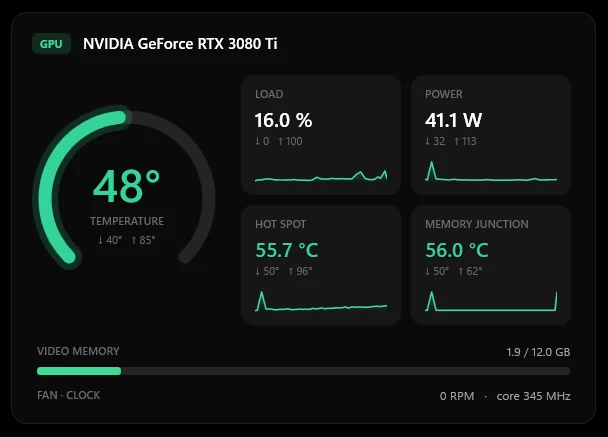
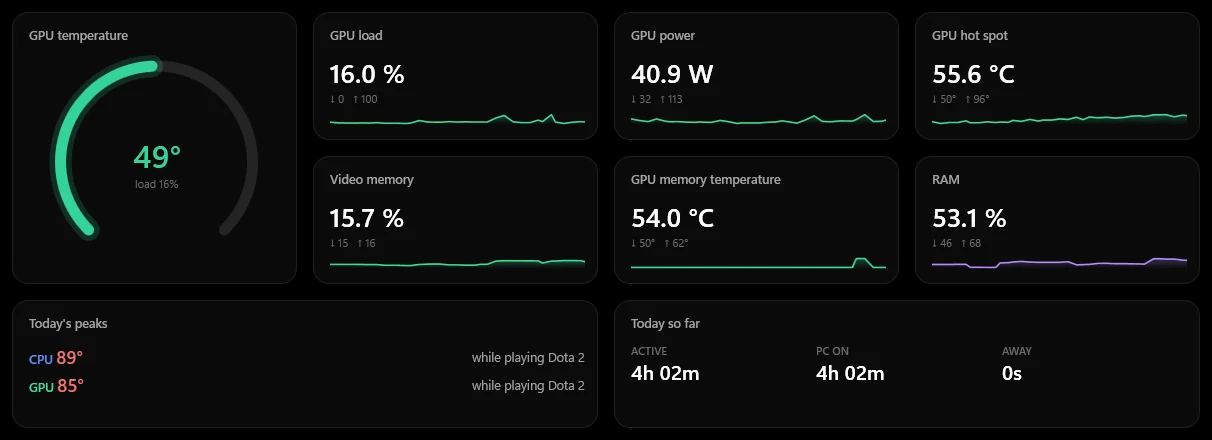
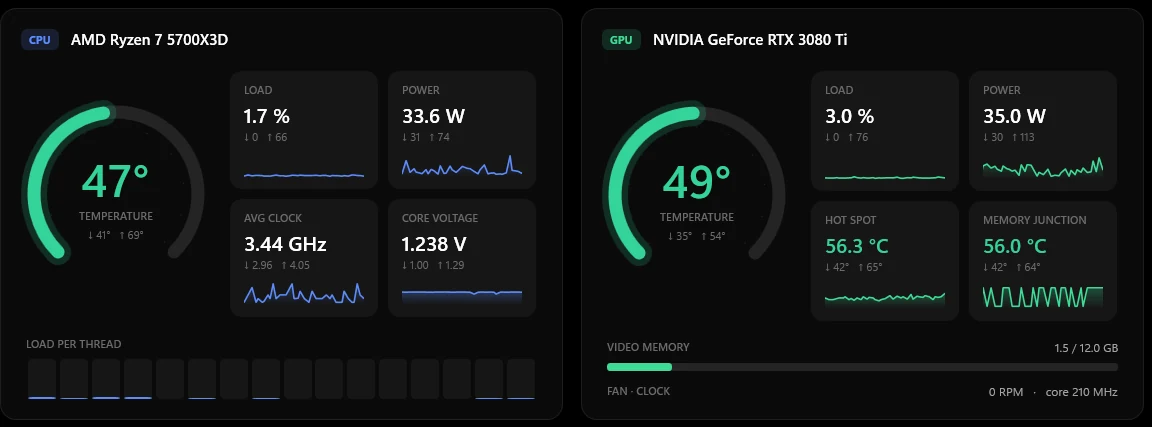
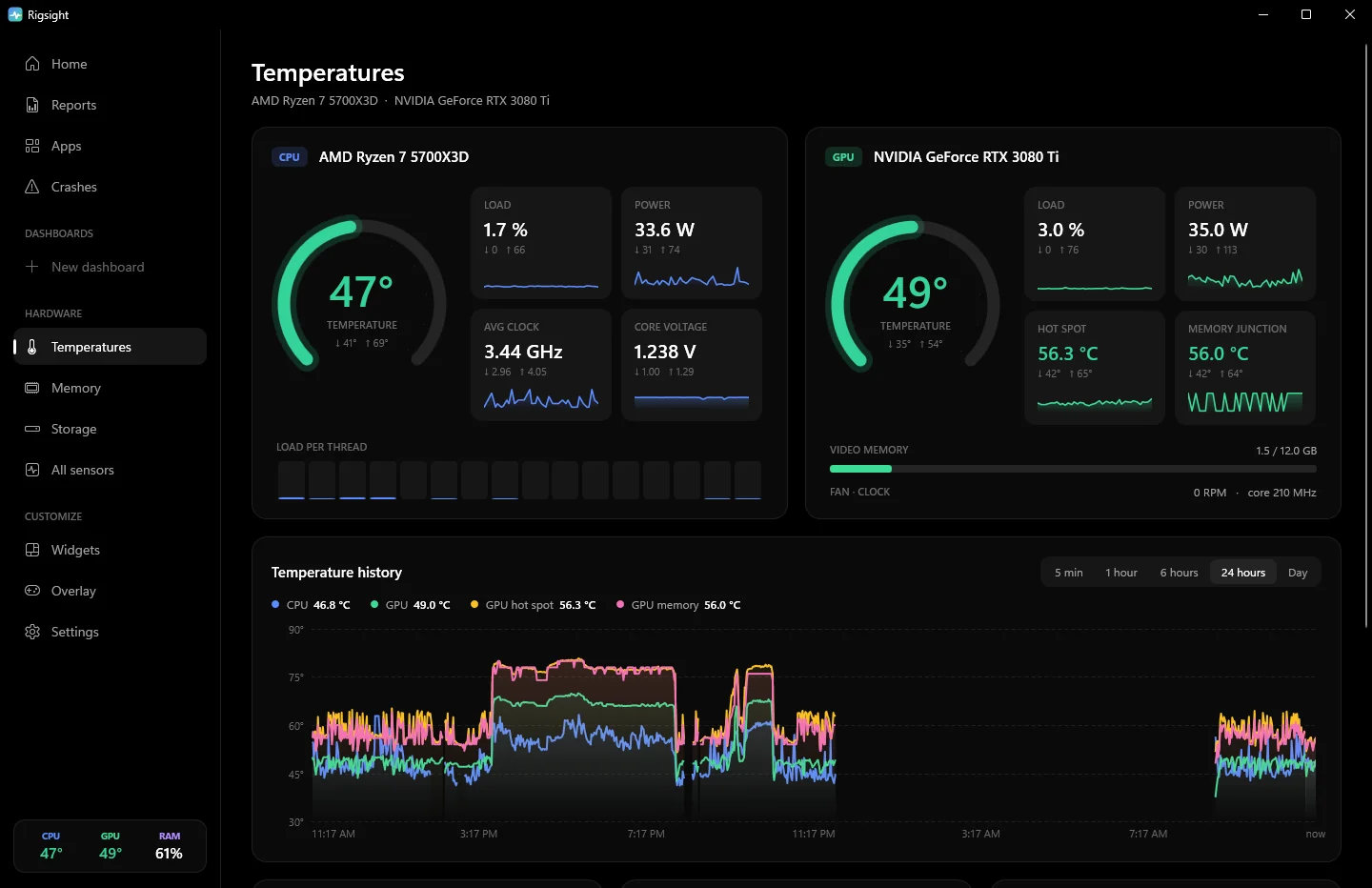
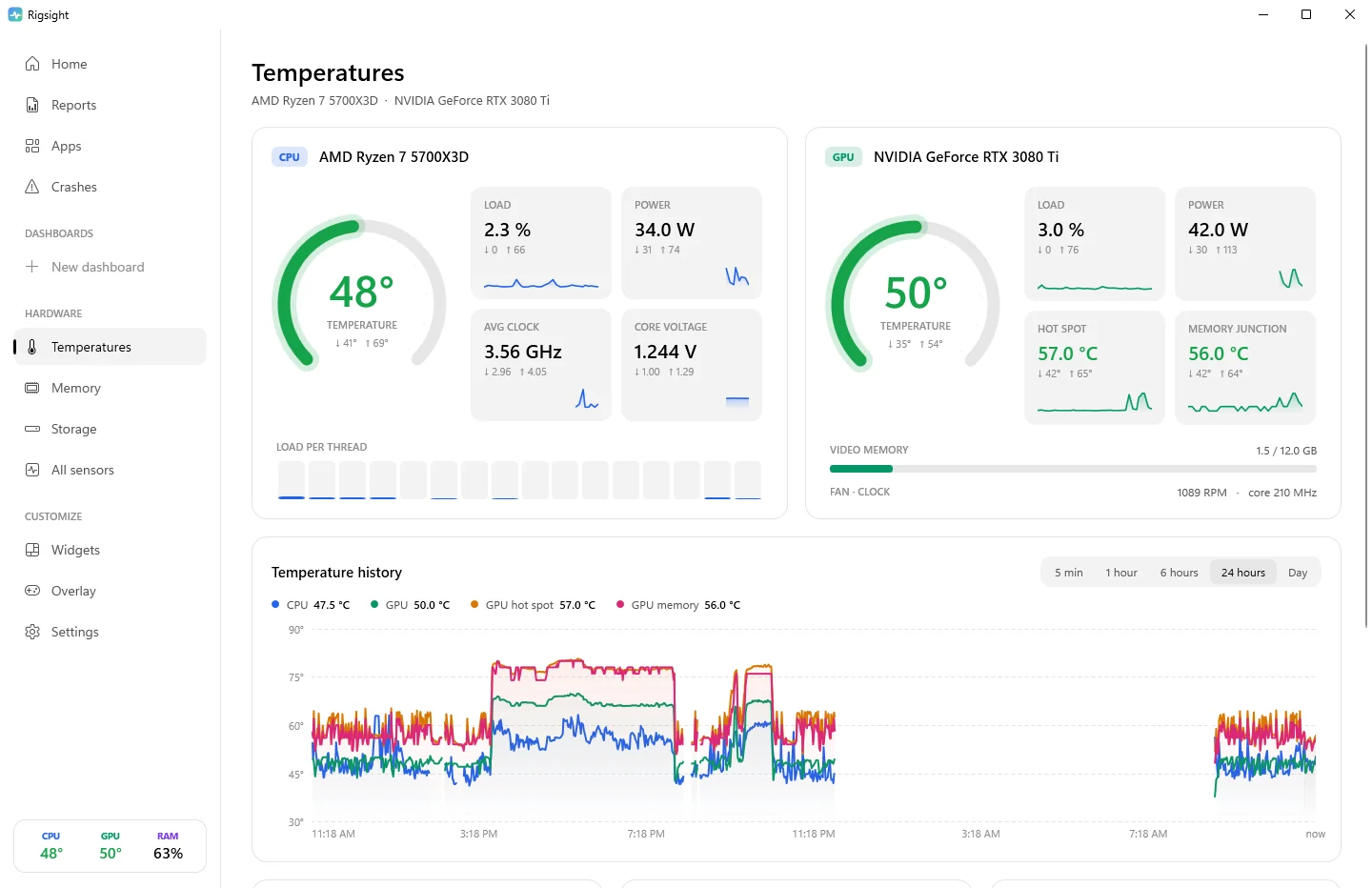
Live CPU and GPU gauges, hot spot and memory junction, per-core load, fans, clocks, power and voltages. Each shows today's low and high, recorded even when the window is closed.

  • History for the last 5 minutes to 24 hours, or any single day
  • Hover the chart for the exact time and temperature
  • Alerts that ignore one-second spikes and only fire when it stays hot
CPU and GPU temperature gauges with load, power, clock, voltage, hot spot and memory junction, each with today's low and high
Reports

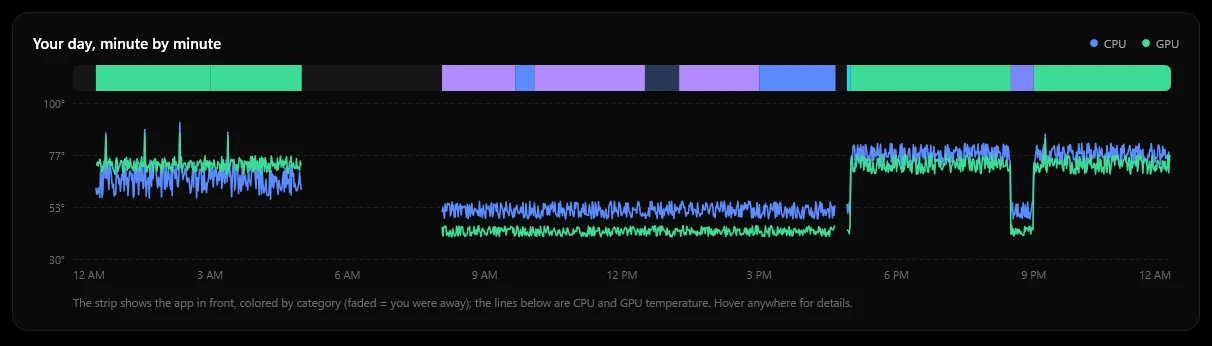
Your day, minute by minute.

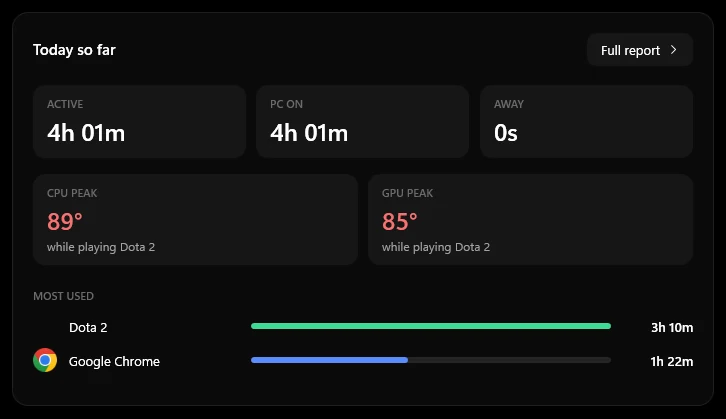
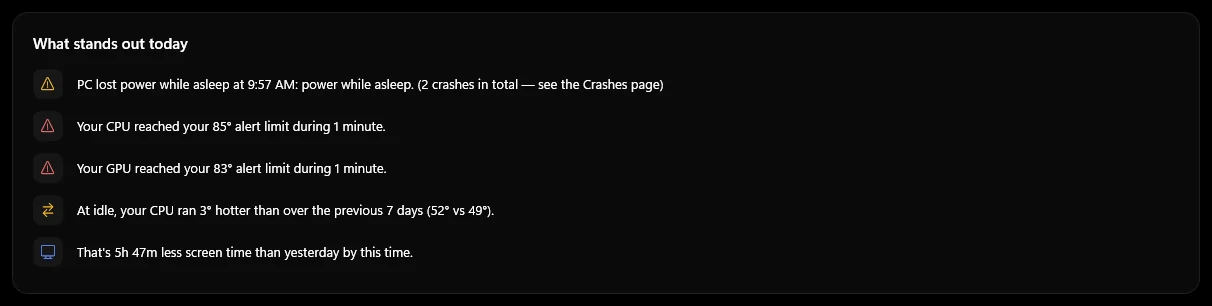
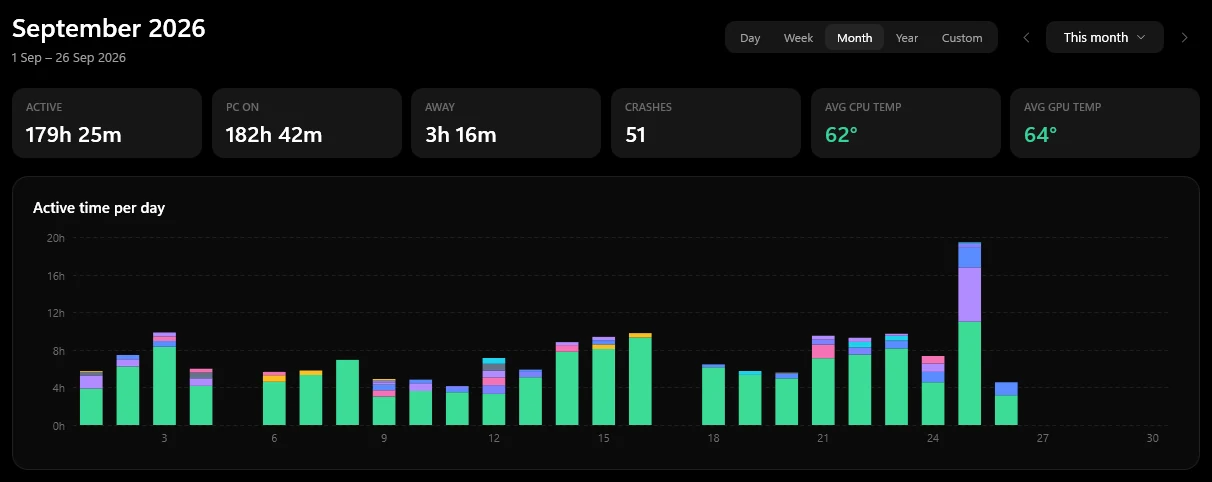
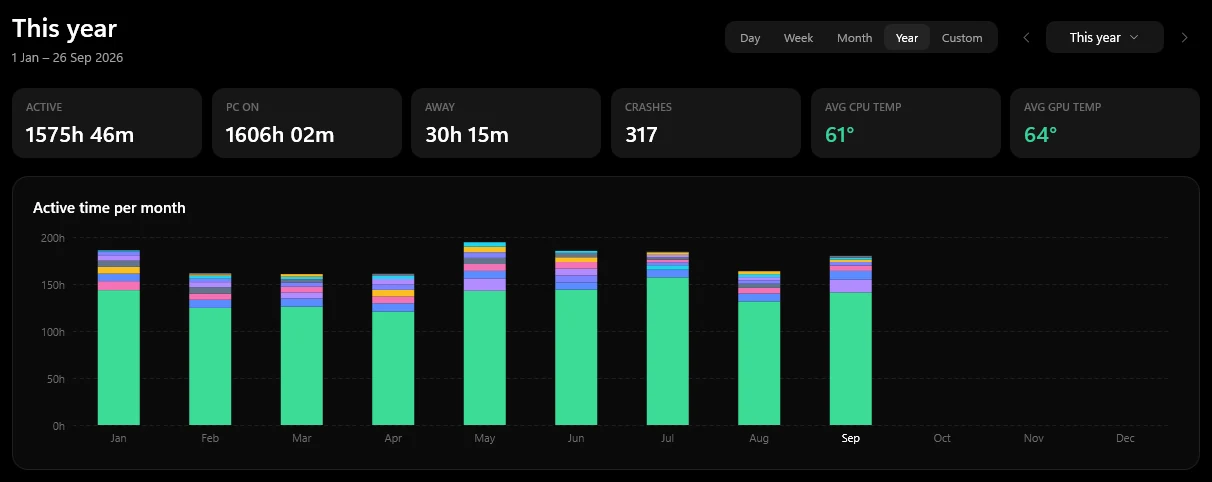
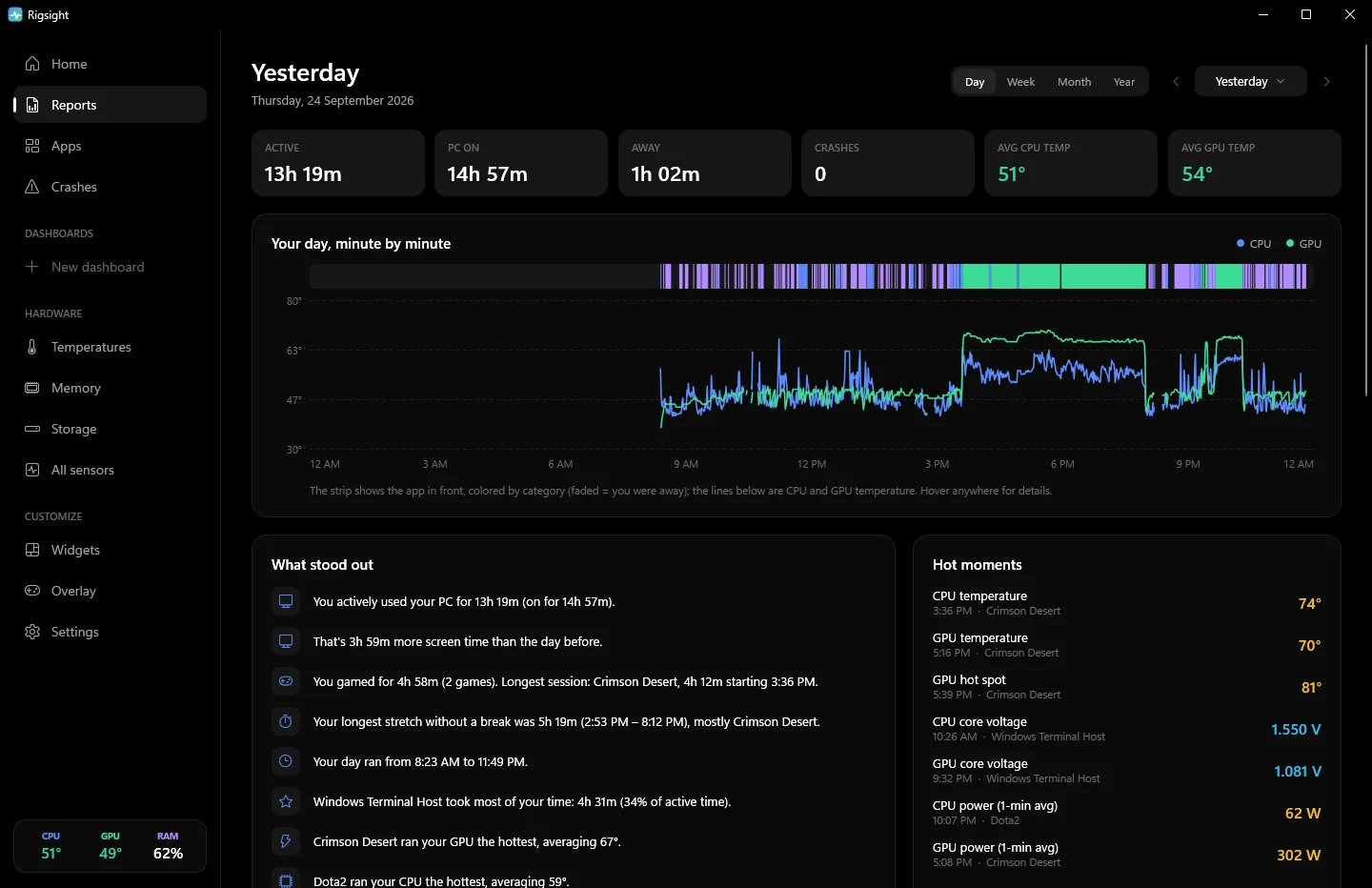
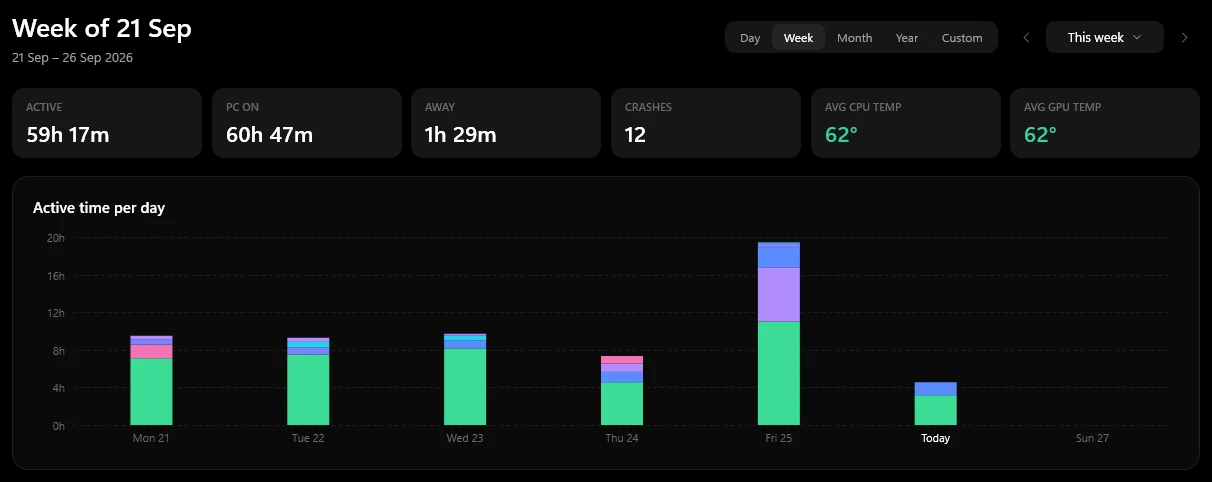
Pick any day, week, month or year. A timeline shows which app was in front each minute, with CPU and GPU temperature drawn over it, plus your peaks and when they happened.

  • Active time vs. time the PC was just on
  • Highlights that only speak up when something stands out
  • Temperatures compared with your usual, idle with idle and load with load
A day's report: active time, a minute-by-minute timeline of apps and temperatures, what stood out and the hottest moments
Apps

Where your time and heat go.

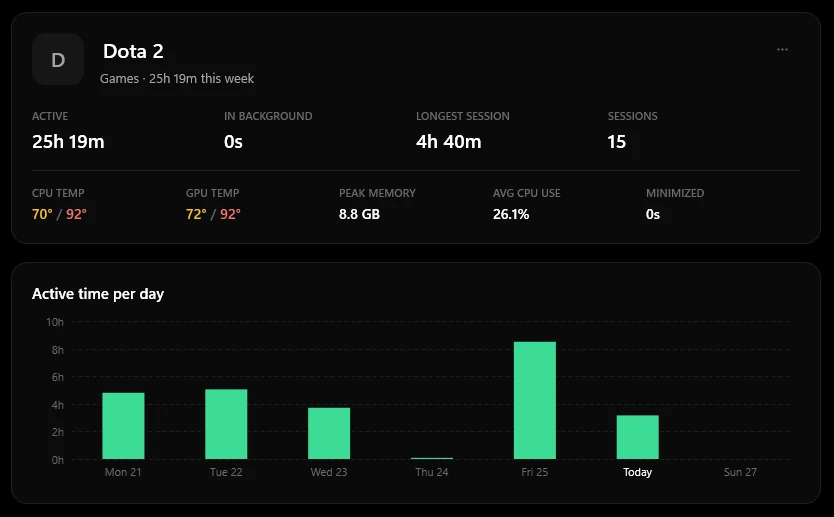
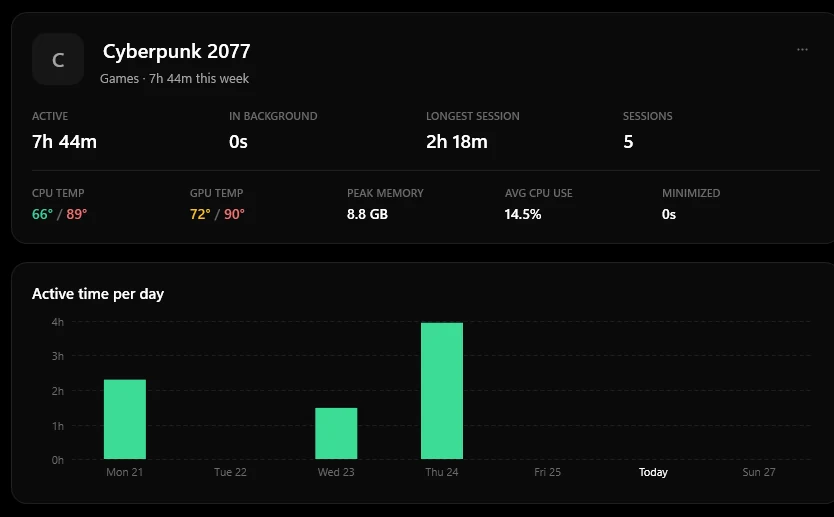
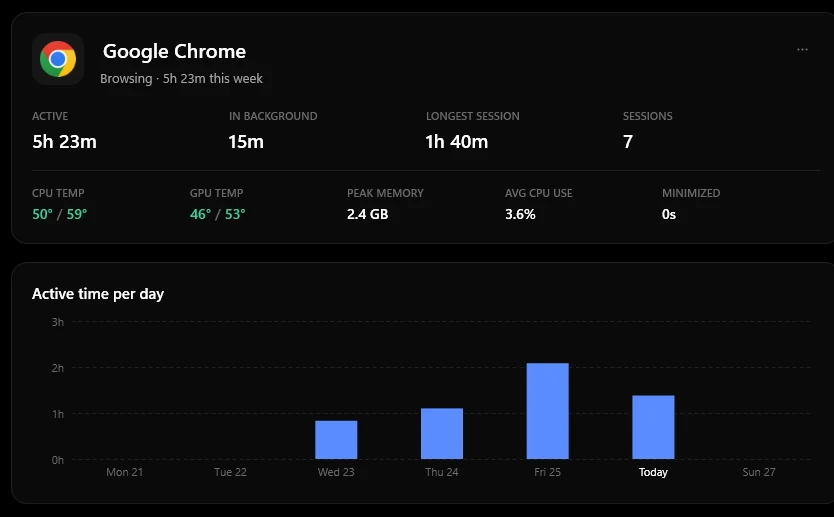
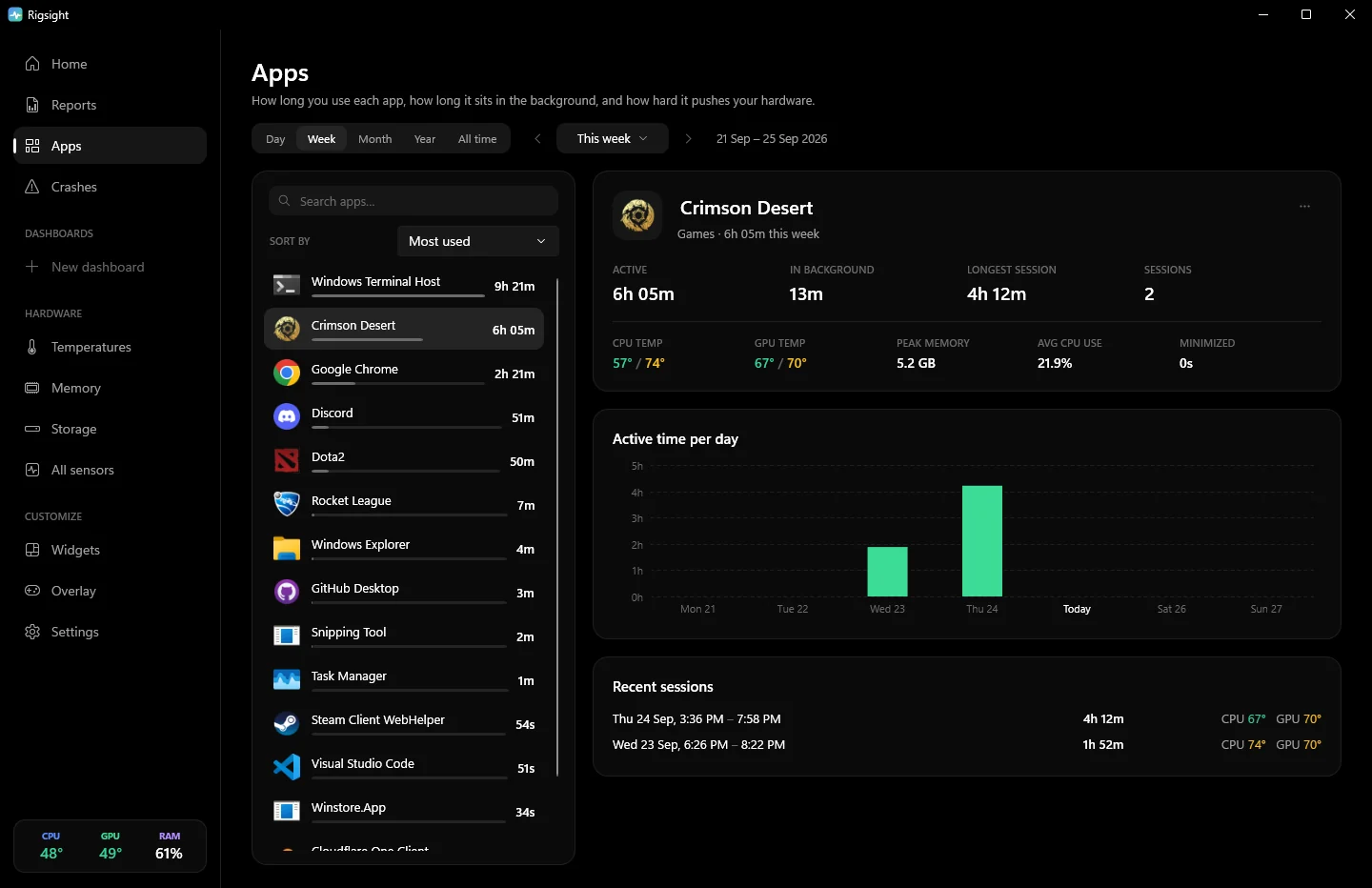
Every app and game, measured: time you actually used it, time it sat in the background, and time it was minimized. See how hot each one runs your CPU and GPU, and how much memory it takes.

  • Any day, week, month or year, or all time
  • A fullscreen game counts as in use even on a controller
  • Rename apps, set categories, or never track one
Apps page: apps and games by time used this week, with a game's active time, sessions, temperatures and memory
Crashes

Crashes, explained in plain words.

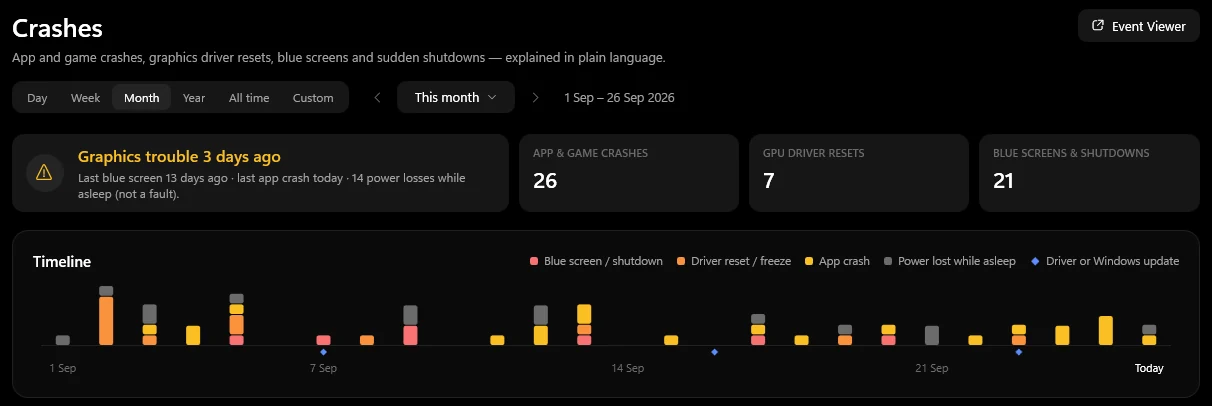
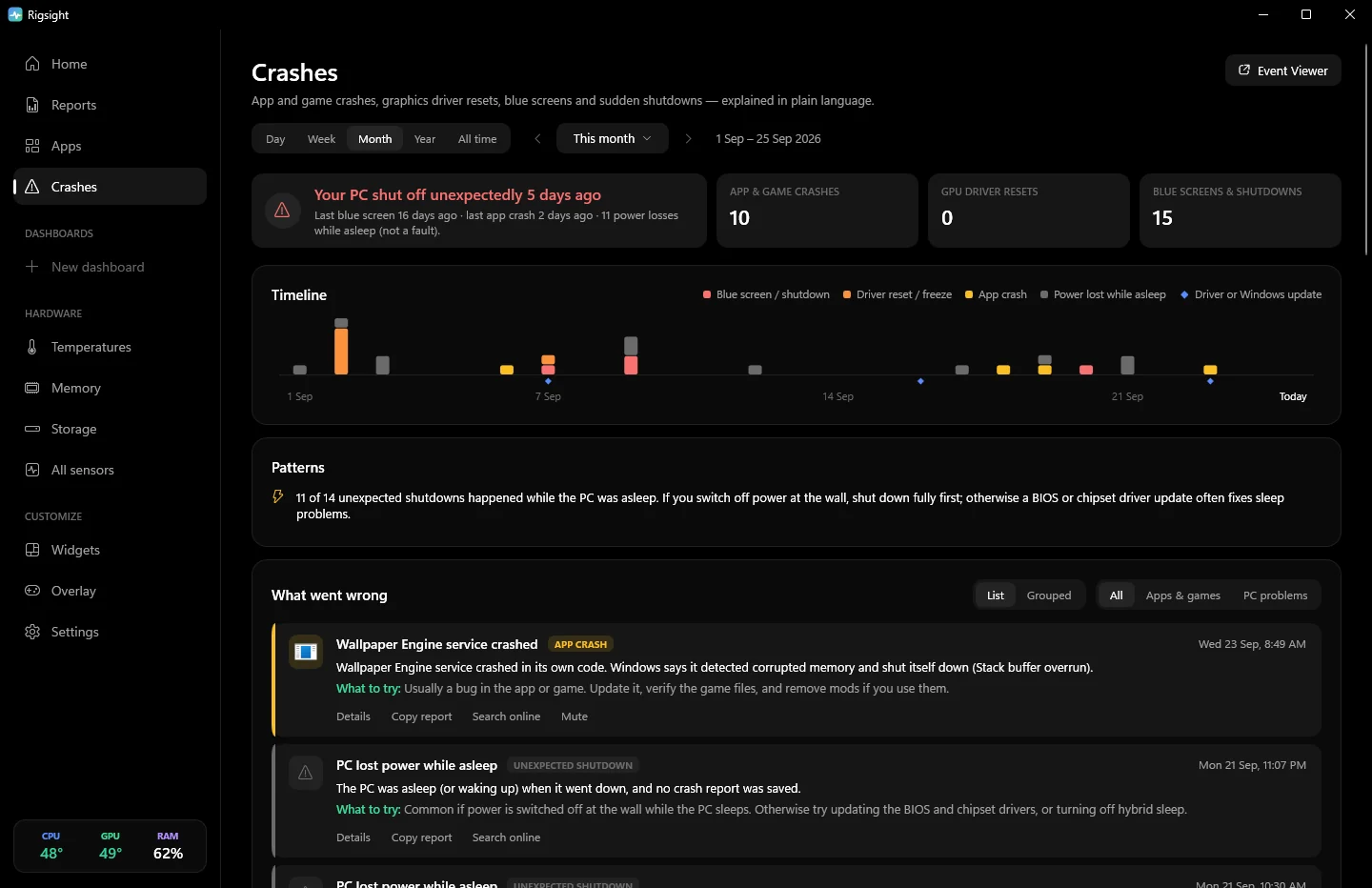
Game crashes, freezes, graphics driver resets, blue screens and sudden shutdowns, read from Windows' own logs and translated into what probably happened and what to try.

  • The temperatures and game right before each crash
  • "What changed before": drivers and updates installed in the days before
  • Patterns, one-click reports to paste in a forum, and mute for noisy apps
Crashes page with a severity timeline and plain-language explanations
Memory

What's filling your RAM.

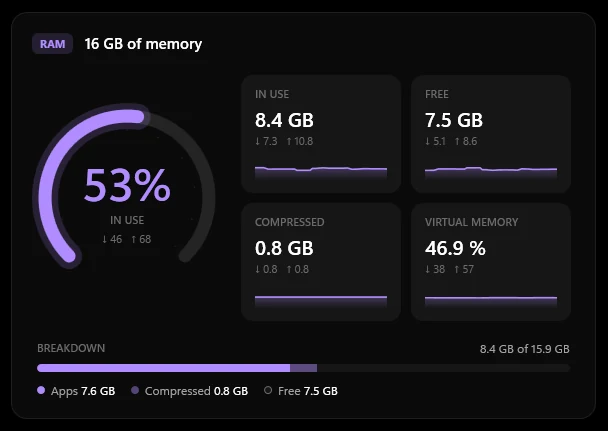
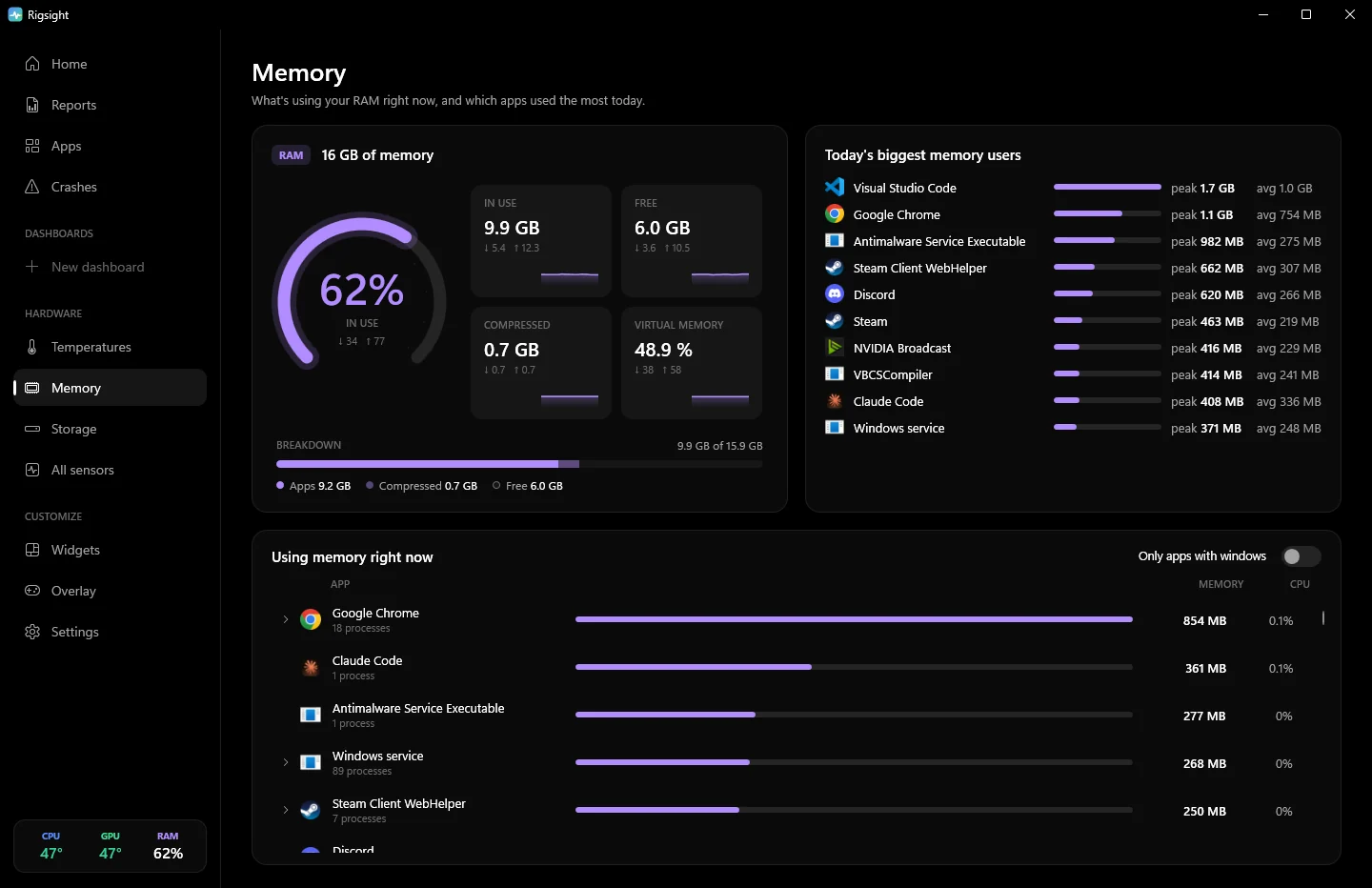
How much memory is in use, free and compressed, and which apps are using it right now. Open an app to see each of its processes: every browser tab, every Windows service.

  • The heaviest apps stand out at a glance
  • Today's biggest memory users, with their peaks
Memory page: a RAM gauge with memory in use, free and compressed, today's biggest memory users and the apps using memory right now
In-game overlay

Your numbers, inside the game.

Press Alt Shift O in any game. FPS, 1% lows, frame time, CPU and GPU temperature, load, clock and power, VRAM, RAM, and up to 10 of your own sensors.

  • Works in exclusive fullscreen, through RivaTuner (installed for you)
  • Colour or grayscale; fade the panel and the numbers separately
  • Never takes focus; clicks pass straight through
  • Rigsight never hooks into games, so it's safe with anti-cheat
The overlay, as it sits in the corner of your screen. AltShiftO

And the rest of your rig

Everything else you'd want to know.

Storage & drive health

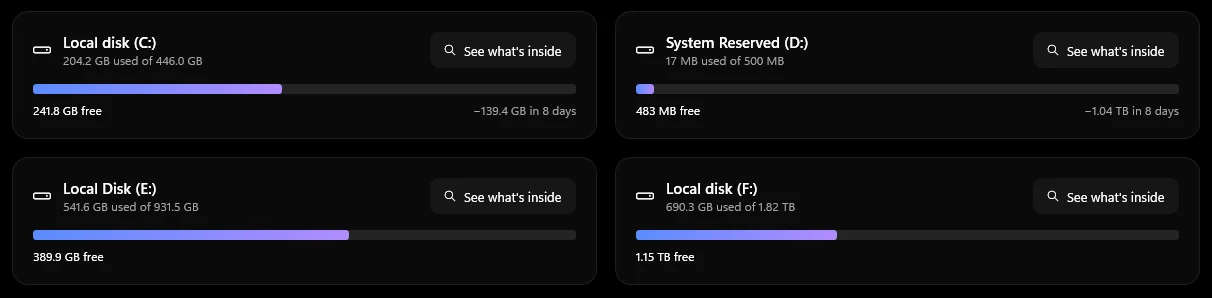
How full each drive is and how fast it's filling. SSD wear, SMART health and bad sectors, and a treemap of what's taking the space.

Updates itself

New versions download quietly and install the next time you start your PC. Nothing to remember.

Your own dashboards

Build pages from gauges, charts and any single sensor. Drag tiles anywhere, resize them, make one for gaming and one for work.

Desktop widgets

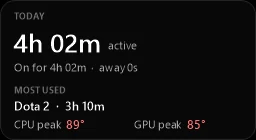
Six widgets: compact, slim bar, gauges, now playing, today and a temperature graph. Dark, light or match Windows, with the background and the numbers faded separately.

Calm notifications

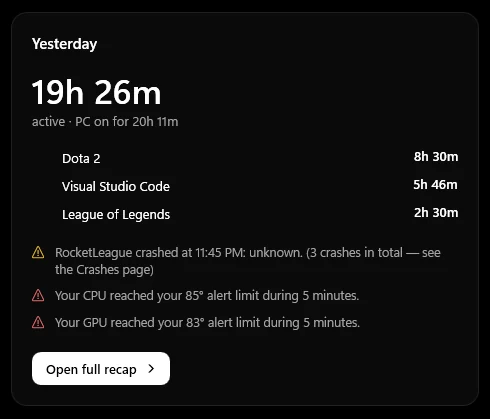
A daily recap, game session summaries and temperature alerts. Alerts reach you even in fullscreen games; anything else waits until you leave.

Every sensor

Every sensor your hardware exposes (over 200 on a typical gaming PC), searchable, renamable and grouped in the order you choose. NVIDIA, AMD and Intel.

Looks

Black. Or white.

Pure black or pure white, with colour only where it means something: a temperature, a warning, a crash. Or let it follow Windows. Drag to compare.

Rigsight in the dark theme
Rigsight in the light theme
Light Dark

Built to be invisible

Records all day.
You'll never notice it.

Rigsight records quietly in the background and uses almost nothing. The window only runs while you have it open.

~0.01%of your CPU, recording in the background
~40 MBof memory while it does

Your data never leaves your PC.

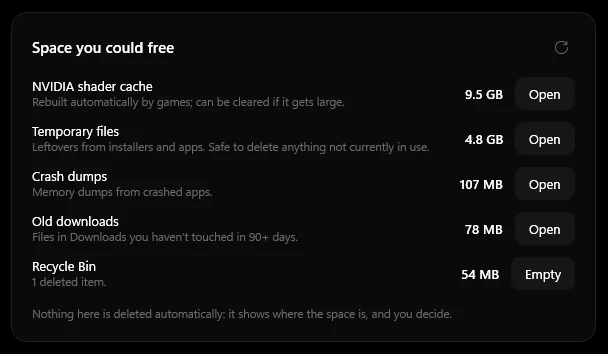
No account. No telemetry. The only thing Rigsight ever checks online is whether there's a new version. Everything else lives in one folder on your PC, and you can clear it with one click.

Never records: window titleskeystrokesscreenshotsfile contents

Get started

Running in two minutes.

One command

Paste this into PowerShell and Rigsight installs itself. Run it again whenever you want the latest version.

irm https://b0llu.github.io/Rigsight/install.ps1 | iex

or download it

  1. 1

    Download

    Grab the installer. It's free, with no account and no ads.

  2. 2

    Install

    Accept the one admin prompt. It sets up the recorder to start with Windows, plus the free sensor driver and RivaTuner if you want them.

  3. 3

    Forget about it

    Use your PC as usual. Open Rigsight whenever you're curious; the history is already there.

If you download the installer and Windows says "Windows protected your PC", click More info → Run anyway.

Questions

Is it really free?

Yes. Rigsight is free and open source under the MIT license. No trial, no premium tier, no ads.

Does it work with AMD and Intel?

Yes. Hardware is read through LibreHardwareMonitor, which supports NVIDIA, AMD and Intel graphics cards and Intel and AMD processors. NVIDIA cards also get an extra-light fast path.

Will the overlay get me banned?

Rigsight never hooks into games. Over borderless and windowed games its overlay is an ordinary always-on-top window. For exclusive fullscreen it uses RivaTuner Statistics Server, the long-established tool behind MSI Afterburner's overlay, which anti-cheat systems accept.

Will it slow my games down?

No. In the background Rigsight uses around 0.006% of your CPU and runs at low priority, so your games always come first.

What does it record, exactly?

Which app is in front and for how long, and how hard your hardware is working: temperatures, loads, clocks, power, fans, memory and drives. It never records window titles, keystrokes, screenshots or file contents, and none of it is sent anywhere.

How do I update it?

You don't have to. New versions download quietly in the background and install the next time you start your PC. Want it sooner? Click Restart in the app and you're on the new version in seconds.

How much history does it keep?

As much as you like, from three months to forever. Temperatures, app time, sessions and crashes all go back equally far, so any day you look back on is complete. A year of history takes about 25 MB.

How do I uninstall it?

Settings → Apps → Rigsight → Uninstall. That removes the program and its startup task. Your history stays in %LocalAppData%\Rigsight until you delete the folder.

Know your rig.

Free for Windows 10 and 11.

Download for Windows

Latest versionAll releases